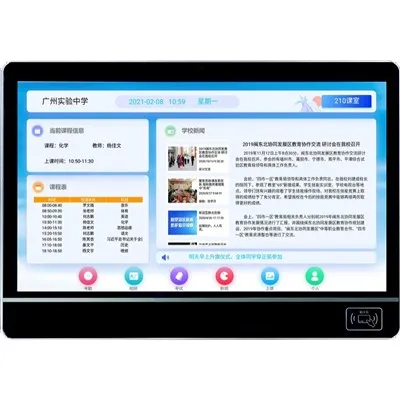
Hey there! As a supplier of Digital Classroom Displays, I've been getting a lot of questions lately about whether our displays support picture-in-picture mode. So, I thought I'd take a moment to dive into this topic and share some insights.
First off, let's talk about what picture-in-picture mode actually is. Picture-in-picture, or PiP for short, allows users to watch one video or image while having another smaller video or image displayed in a corner of the screen. It's like having two things going on at once, which can be super handy in a classroom setting.
So, do our Digital Classroom Displays support PiP mode? The answer is a resounding yes! Our displays are equipped with advanced technology that enables seamless picture-in-picture functionality. This means that teachers can show a main lesson video on the big screen while also having a smaller window for additional resources, such as a live feed from a science experiment or a related video clip.
One of the key benefits of PiP mode in the classroom is that it enhances engagement. Students can focus on the main content while still having access to supplementary information. For example, during a history lesson, the teacher can play a documentary on the main screen and have a smaller window showing historical maps or images. This multi - faceted approach helps students better understand the subject matter.
Another advantage is that it saves time. Instead of constantly switching between different sources of information, teachers can have everything visible at once. They can quickly refer to additional materials without interrupting the flow of the lesson. This is especially useful in subjects like math, where teachers might want to show a step - by - step solution on one part of the screen while having the original problem on the other.
Our Digital Classroom Displays are designed with user - friendliness in mind. Enabling PiP mode is as easy as a few clicks. Teachers don't need to be tech wizards to use this feature. They can simply connect multiple sources, like a computer and a camera, and then adjust the size and position of the smaller window according to their needs.
Now, let's talk about some of the specific use cases. In a language class, the teacher can play a foreign language movie on the main screen and have a smaller window with subtitles or vocabulary explanations. This helps students improve their language skills by providing real - time support.
In a science class, PiP mode can be used to show a live demonstration on one part of the screen while having relevant scientific diagrams or data on the other. This hands - on and visual approach makes learning more interactive and memorable.


If you're interested in learning more about our Digital Classroom Displays and their PiP capabilities, you can check out our Digital Signage for Schools page. Here, you'll find detailed information about how our products can transform the classroom experience.
Our Educational Digital Boards are also a great option. They come with a range of features, including PiP mode, that are specifically tailored to the educational environment.
And for those looking for a more comprehensive classroom information solution, our Classroom Information Display page has all the details.
We understand that every school has different needs, and that's why we offer customizable solutions. Whether you're a small private school or a large public institution, we can work with you to find the best Digital Classroom Displays for your classrooms.
If you're considering upgrading your school's technology or are in the market for new Digital Classroom Displays, we'd love to have a chat with you. Our team of experts can answer all your questions and help you make an informed decision. Just reach out to us, and we'll be happy to assist you in the procurement process.
In conclusion, picture - in - picture mode is a powerful feature that can greatly enhance the learning experience in the classroom. Our Digital Classroom Displays are not only capable of supporting this mode but are also designed to make it easy and effective to use. So, if you're looking to take your school's education technology to the next level, don't hesitate to get in touch.
References
- Research on the impact of multi - screen learning in educational settings.
- Industry reports on the latest trends in Digital Classroom Displays.