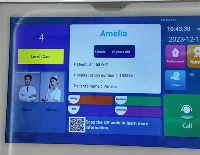
Hey there! As a supplier of Digital Classroom Displays, I often get asked whether these displays can be connected to other devices. Well, let me tell you, the answer is a big yes! In this blog, I'm gonna break down how and why you can connect digital classroom displays to a bunch of different devices, and how it can make your classroom a whole lot cooler.
Why Connect Digital Classroom Displays to Other Devices?
First off, let's chat about why you'd even want to connect these displays to other gadgets. In today's tech - savvy world, classrooms are no longer just about chalk and blackboards. Teachers need to use a variety of tools to make learning more engaging, and connecting devices to digital classroom displays is a great way to do that.
For instance, if you connect a laptop to the display, teachers can easily show presentations, videos, and online resources directly on the big screen. This not only makes it easier for students to see but also allows for a more interactive and dynamic learning experience. It's like having your own mini - cinema and office in the classroom!
Moreover, connecting tablets or smartphones can enable students to share their work, collaborate in real - time, and participate in interactive activities. They can draw on the screen, answer quizzes, and even control educational apps from their devices, which is super cool and can boost student engagement big time.
How Can Digital Classroom Displays Be Connected to Other Devices?
Now, let's get into the nitty - gritty of how these connections work. There are several ways to connect digital classroom displays to other devices, and I'll go through the most common ones.
Wired Connections
Wired connections are the most reliable way to connect devices to digital classroom displays. The most popular cable for this purpose is the HDMI (High - Definition Multimedia Interface) cable. It can transmit both high - definition video and audio signals, so you can enjoy crystal - clear visuals and sound. All you need to do is plug one end of the HDMI cable into the device (like a laptop or a media player) and the other end into the HDMI port on the display. It's as simple as that!
Another common wired connection is the VGA (Video Graphics Array) cable. Although it's an older technology compared to HDMI, it's still widely used because many devices, especially older laptops, have VGA ports. However, VGA only transmits video signals, so you'll need a separate audio cable if you want sound.
Wireless Connections
Wireless connections are becoming increasingly popular because they offer more flexibility. One of the most common wireless technologies used for connecting devices to digital classroom displays is Wi - Fi. Many modern displays come with built - in Wi - Fi, which allows you to connect your laptop, tablet, or smartphone to the display without any cables.
For example, you can use screen mirroring apps or features. On Android devices, you can use the Miracast feature to mirror your screen to the display. On Apple devices, AirPlay is the way to go. With these features, whatever is on your device's screen will be shown on the digital classroom display, making it easy to share content.
Bluetooth is another wireless option, although it's more commonly used for connecting audio devices like speakers or headphones to the display. You can pair your Bluetooth speaker with the display to get better sound quality during presentations or videos.
Compatibility with Different Devices
Digital classroom displays are designed to be compatible with a wide range of devices. Whether you're using a Windows laptop, a Mac, an Android tablet, or an iPad, there's usually a way to connect it to the display.
Most displays support a variety of input sources, so you can switch between different devices easily. For example, you can connect your Windows laptop for a presentation in the morning, and then switch to an iPad for a hands - on activity in the afternoon.
However, it's important to check the compatibility of your specific devices before making a purchase. Sometimes, you might need to use an adapter if your device doesn't have the same ports as the display. Don't worry though, there are plenty of affordable adapters available in the market that can solve this problem.


Real - World Applications
Let's take a look at some real - world applications of connecting digital classroom displays to other devices.
In a science class, the teacher can connect a microscope camera to the display. This way, students can view the microscopic specimens on the big screen and have a more detailed and clear view. The teacher can also annotate the image on the display while explaining the concepts, which is much more effective than just looking through the microscope individually.
In a language class, students can connect their smartphones to the display and present their language projects. They can show videos they've made, slideshows of their research, and even have group discussions using video - conferencing apps. This not only improves their language skills but also their presentation and collaboration abilities.
Our Products and Their Connectivity Features
As a supplier of Digital Classroom Displays, we offer a range of products that are designed with great connectivity features. Our Classroom Digital Signage is not only a great way to display important announcements and information but also supports multiple device connections. You can connect your laptop or tablet to it to update the content easily.
Our Interactive Classroom Display takes connectivity to the next level. It allows for seamless connection with various devices, enabling teachers and students to interact with the content on the screen using their own devices. Whether you're using a pen on a tablet or your finger on a smartphone, you can control the display and engage in interactive learning activities.
And our Smart School Boards are also highly compatible with different devices. They come with multiple input ports, both wired and wireless, so you can connect almost any device you want. Whether it's a gaming console for educational games or a media player for showing movies, our smart school boards can handle it all.
Time to Upgrade Your Classroom
If you're still using traditional chalkboards or outdated displays in your classroom, it's time to make a change. Connecting digital classroom displays to other devices can transform your classroom into a high - tech learning environment.
Imagine the possibilities - more engaging lessons, better student participation, and a more efficient learning process. Our digital classroom displays are the perfect solution for modern classrooms. We offer high - quality products at competitive prices, and our team is always ready to provide you with technical support.
So, if you're interested in upgrading your classroom with our Digital Classroom Displays and want to learn more about how they can be connected to other devices, don't hesitate to get in touch. We're here to help you make your classroom the best it can be. Whether you're a school administrator, a teacher, or someone in charge of educational technology, we'd love to have a chat with you about your needs. Contact us today to start the conversation!
References
- "The Impact of Digital Displays in Education" - Educational Technology Research Journal
- "Connectivity Technologies for Smart Classrooms" - Technology in Education Magazine